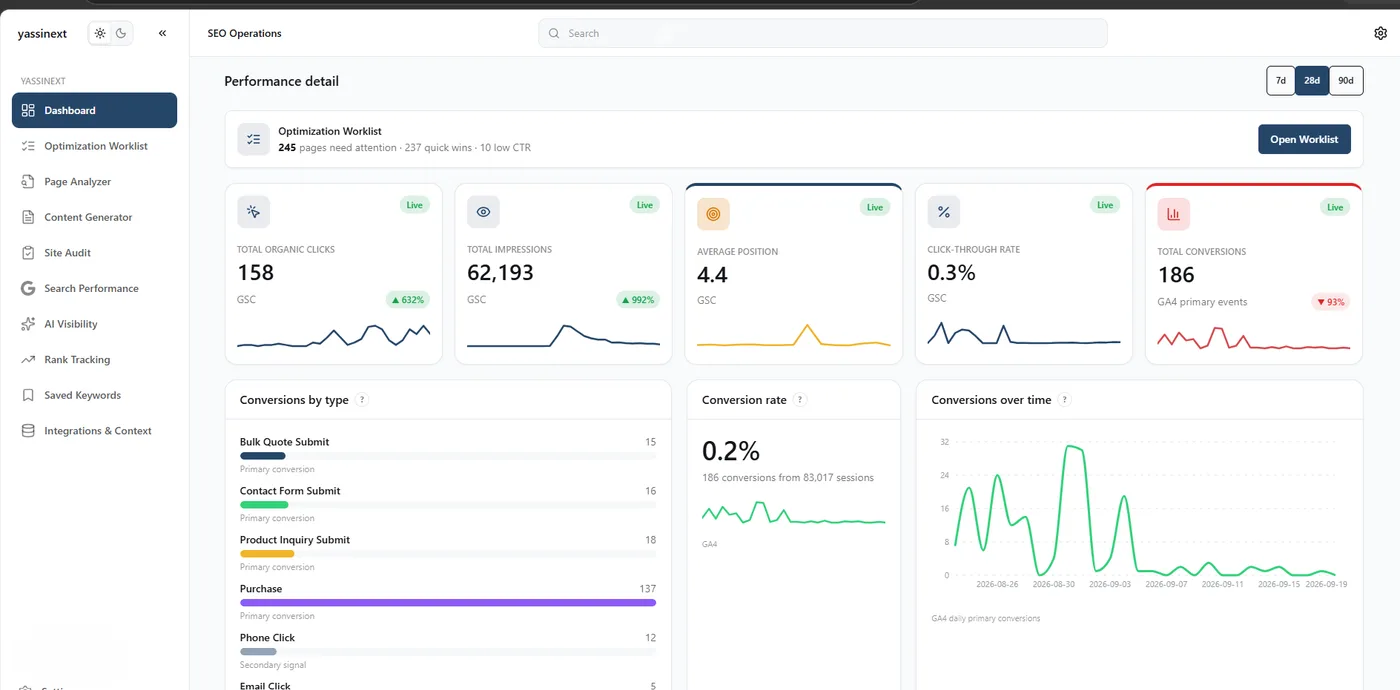
Search Console dashboard
Clicks, impressions, average position, CTR — live from GSC for the connected property.
GSCTurn Search Console, Analytics, keyword data and optimization tasks into one simple workspace your whole team can use — even the members who've never opened an SEO platform.
Semrush, Ahrefs, Moz, Search Console itself: they show your team hundreds of numbers, tabs and charts. What they don't show is what to fix, why it matters, or what action to take.
So the numbers get ignored, and the SEO work gets stuck with one specialist — usually one who's already overloaded.
Not another platform to learn. A tool made for your team, your data, and the eight things you actually do every week.
Search Console, Google Analytics, Semrush, your CMS — plugged in once and kept in sync.
The right KPIs on the right screen. No dashboards nobody opens.
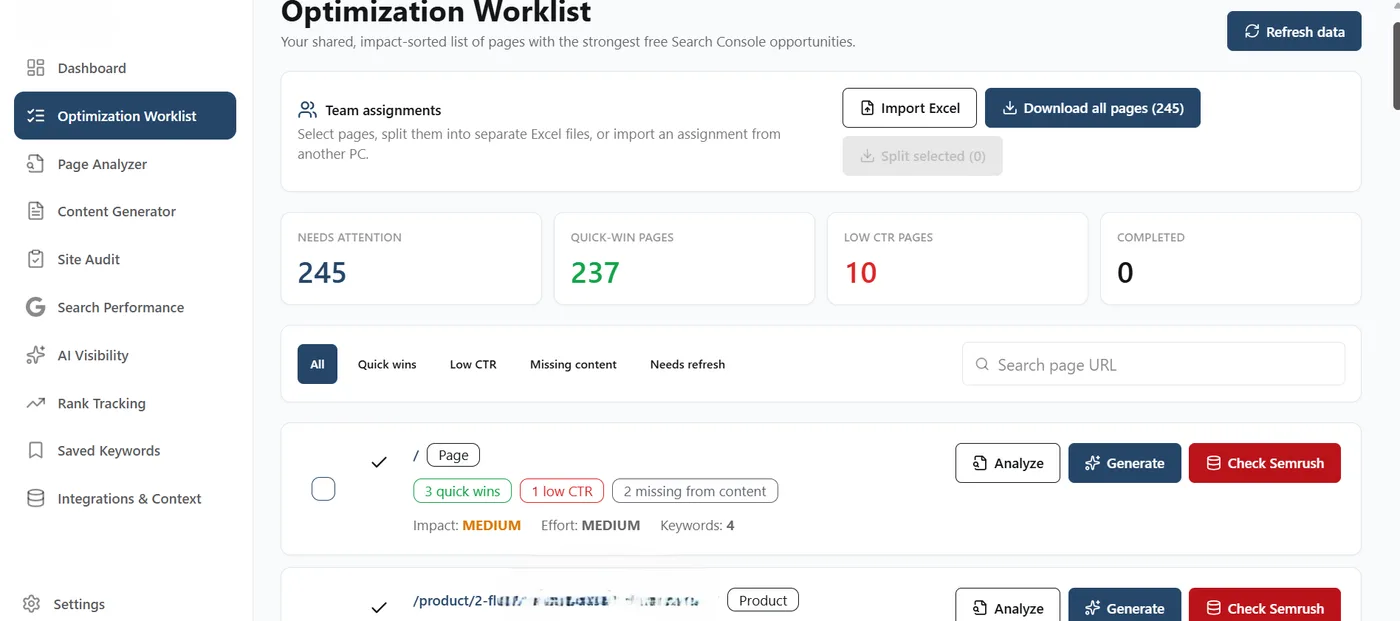
Impact-sorted lists surface quick wins, low CTR, missing content — automatically.
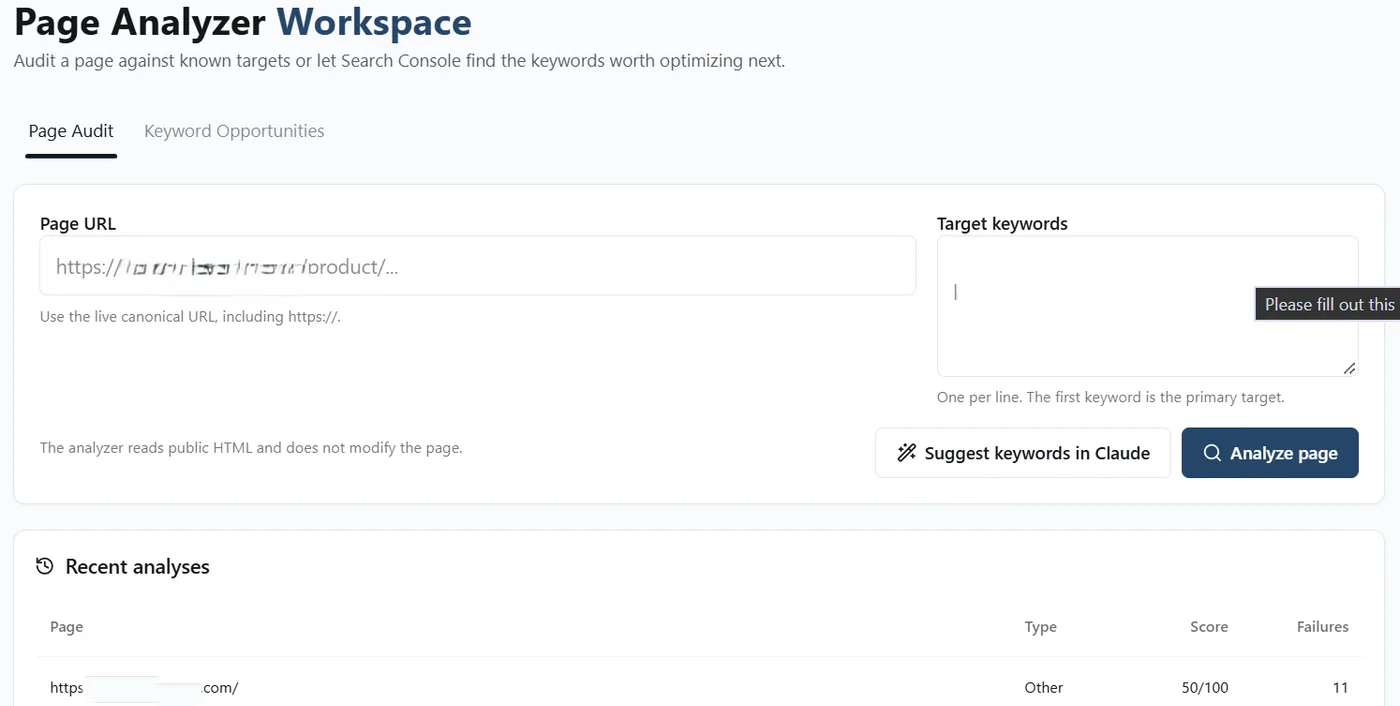
The tool reads your Search Console history and points at queries you could actually win.
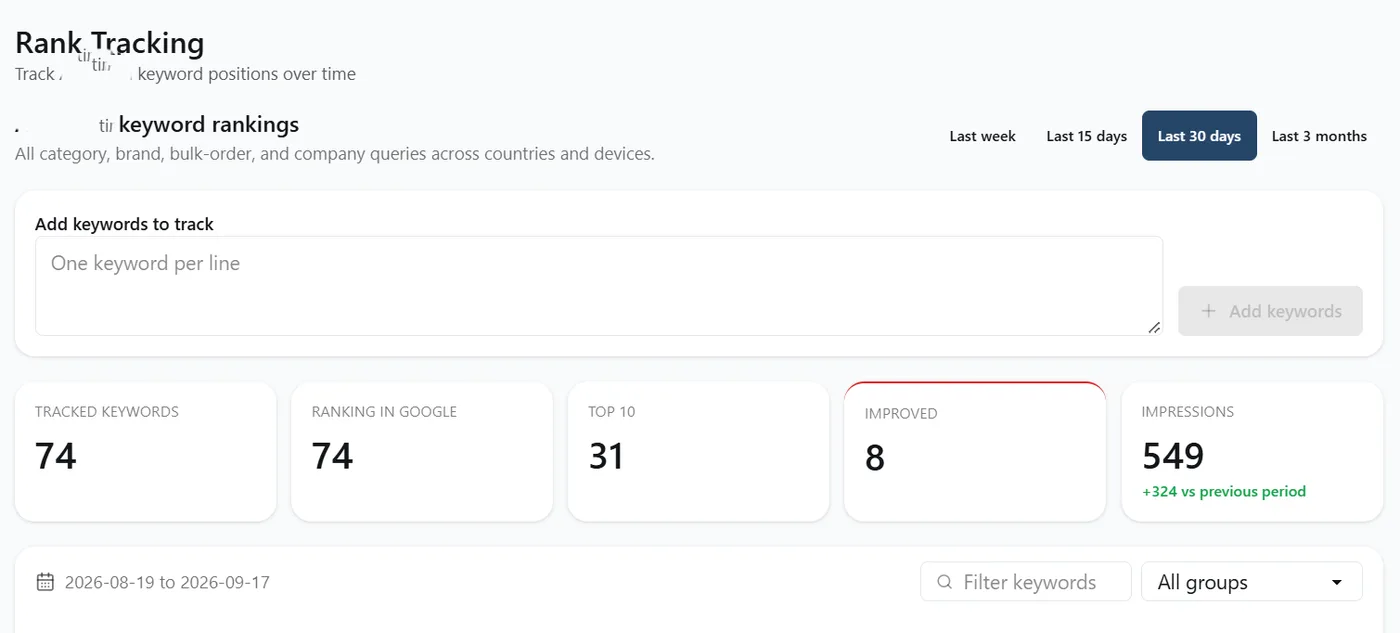
Positions and impressions on the queries you care about, over the windows you work in.
Per-owner Excel splits, re-imports, and a clear log of who did what and when.
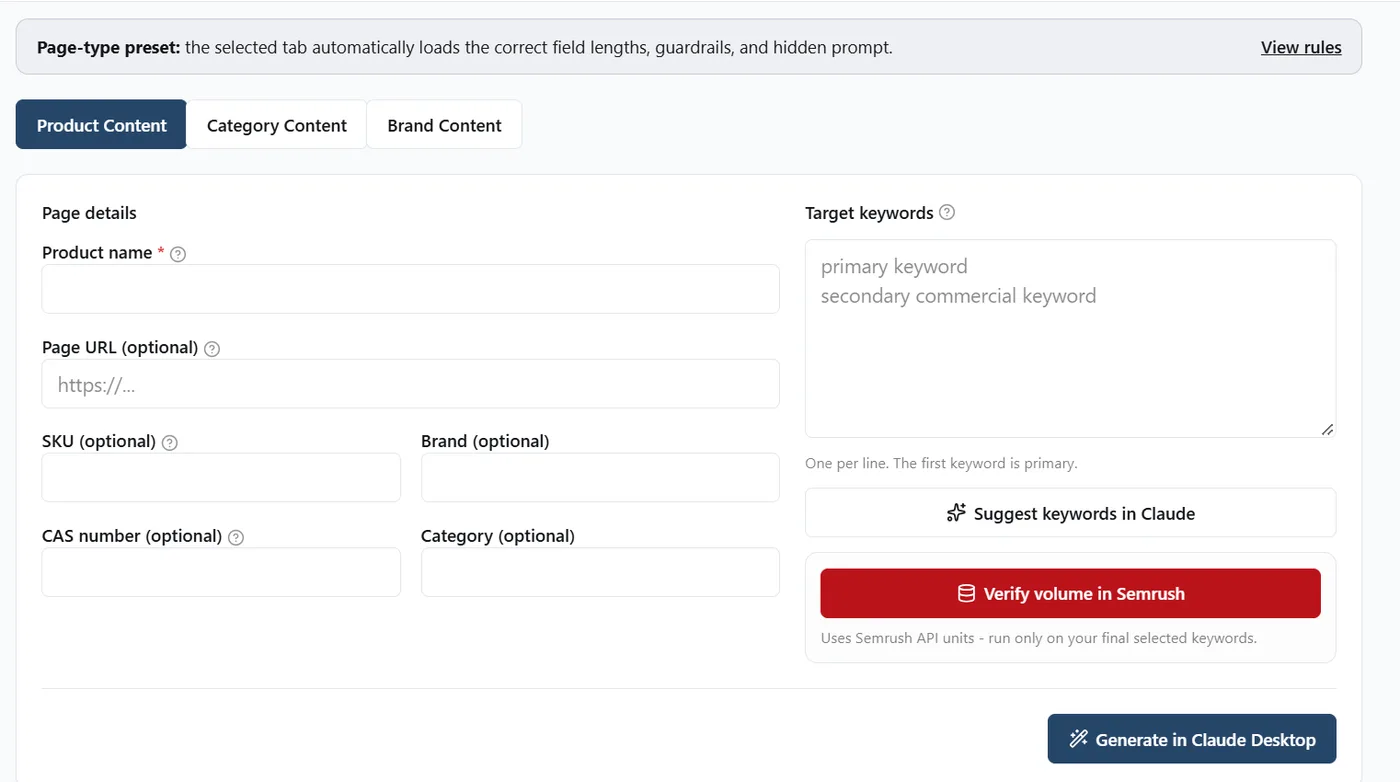
Page-type presets — Product, Category, Brand — with the right guardrails and hidden prompts.
A single source of truth for your SEO work, in one workspace instead of ten spreadsheets.
Ten features, one interface. Turn on what you need for the current team. Add more when the process grows.
Clicks, impressions, average position, CTR — live from GSC for the connected property.
GSCConversions, sessions, key events from GA4 — mapped to the pages that matter.
GA4Paste a URL. The tool finds quick wins and low-CTR queries automatically.
AutoAudit any URL against target keywords, or let Search Console pick them for you.
Per-pageImpact-sorted queue of pages that need attention — filtered by state and page type.
PriorityPosition, change, clicks and impressions per query across sliding windows.
TrendPage-type presets that load the right field lengths, guardrails, and hidden prompts.
PresetsSplit the worklist into per-owner files. Re-import their progress cleanly.
ExcelSuggested keywords in Claude, verified volume in Semrush, briefs ready for your LLM.
LLM-readyWeekly, monthly or ad-hoc reports built around what your team actually reviews.
BespokeMarketing, content, ecommerce — anyone on your team can read what needs to happen next. No SEO jargon required.
Hover a row to see the translation trigger.
We don't sell a fixed product. Each build starts from a two-hour scoping call and gets rebuilt around your industry, your data, and the way your team actually works.
Six practical wins we hear back from teams within the first month of use.
Every screen answers one question. Nothing shown that doesn't lead to action.
From data to a task in a click — priority, page, owner, action.
Split, assign, re-import. Nobody works on the same page twice.
Non-SEO team members read the tool without learning an SEO platform.
Search Console, GA4, Semrush — the accounts you already own. Nothing new to buy.
The tool fits your team, not the other way around. Every axis is customizable.
These are screens from a workspace we built and use ourselves. Yours would carry your brand, your data sources, and the modules your team needs.
Two-hour scoping call. A working prototype in two to four weeks. Rebuilt around your team's workflow — not the other way around.
./build